Photo
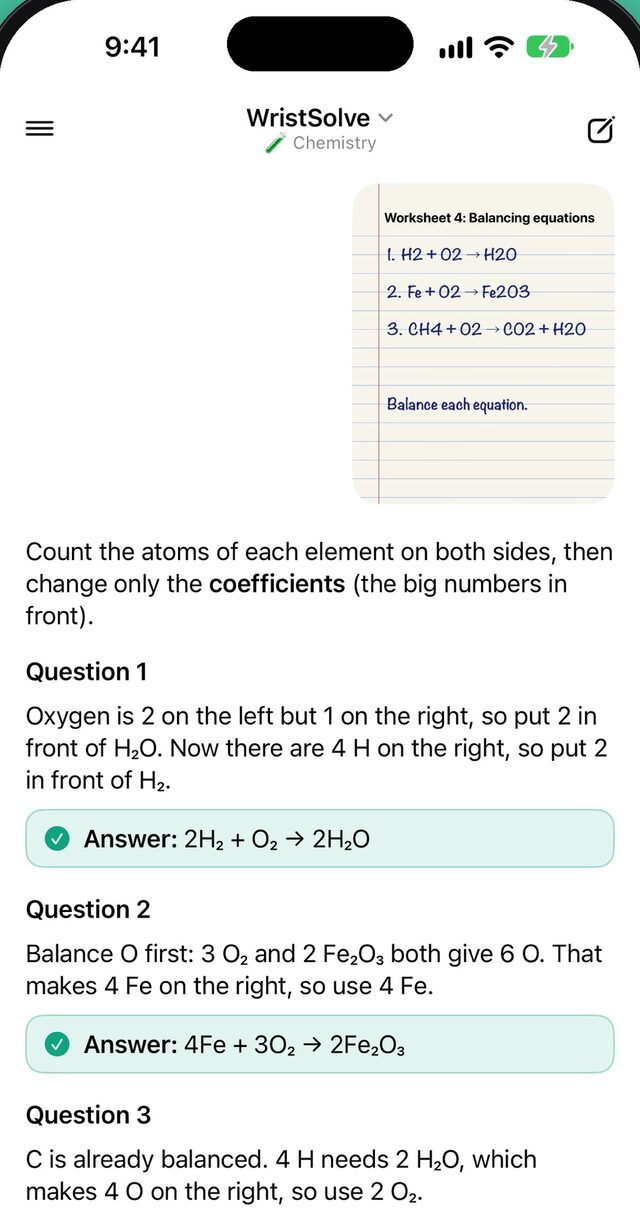
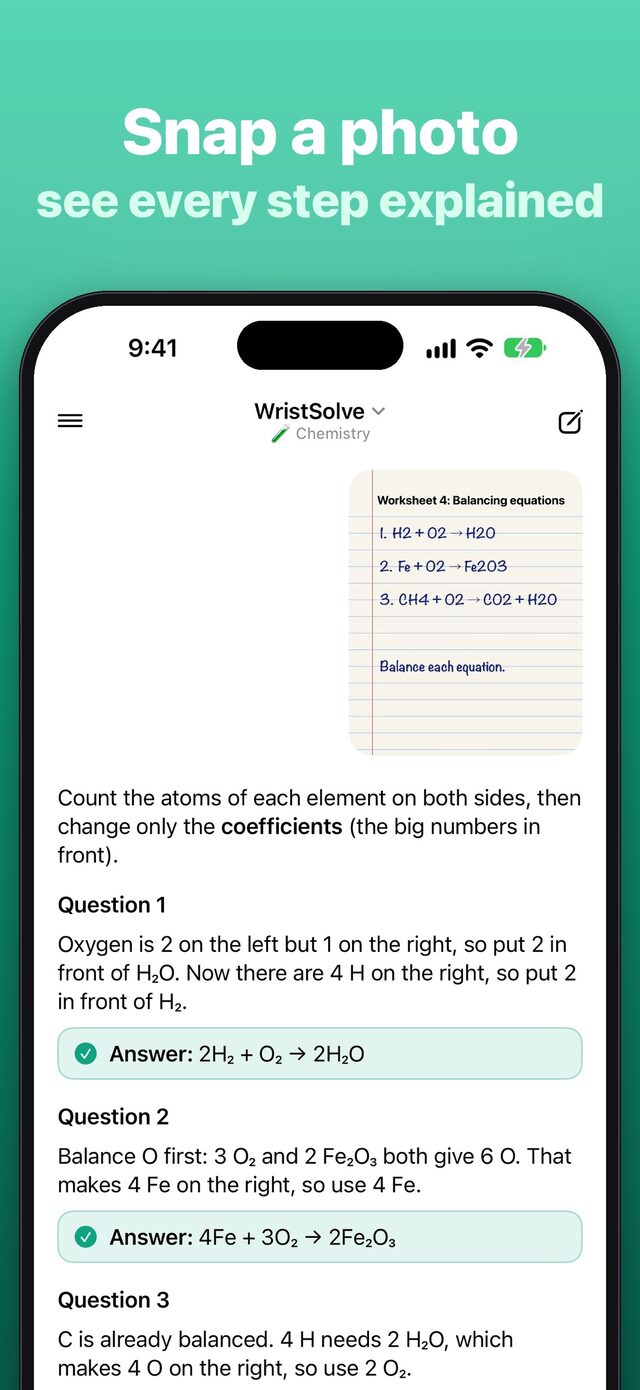
Take a photo of a worksheet or a textbook page and get every question explained.

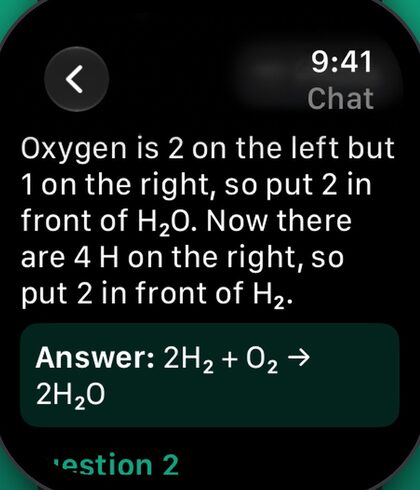
Get a clear answer and a short step-by-step explanation for every question, on your iPhone and right on your Apple Watch. Photo, voice or text: ask the fastest way, then keep asking until it clicks.
Snap, ask, understand
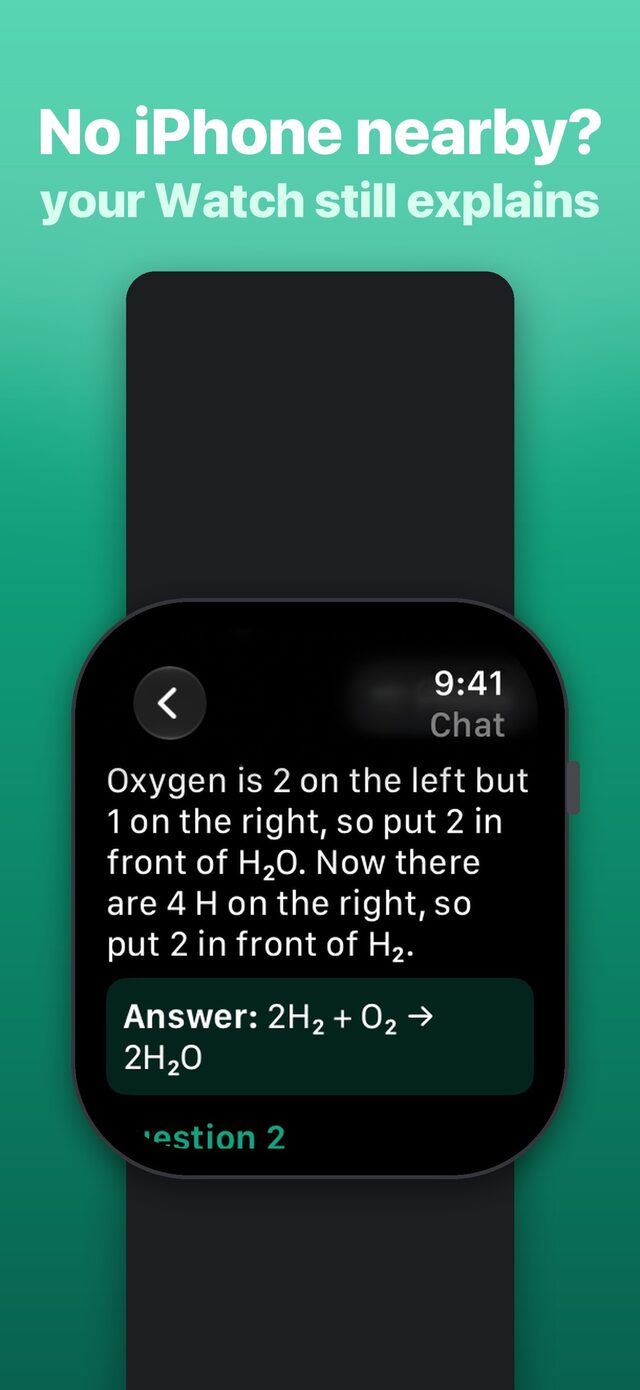
New in version 1.2: your Apple Watch answers on its own, even when your iPhone is not nearby.
Take a photo of a worksheet or a textbook page and get every question explained.
Ask a question by voice, also from your Apple Watch.
Type a question, then keep asking follow-ups until it clicks.
How it works
Take a photo of a worksheet or a textbook page with your iPhone. Every question on the page gets explained.
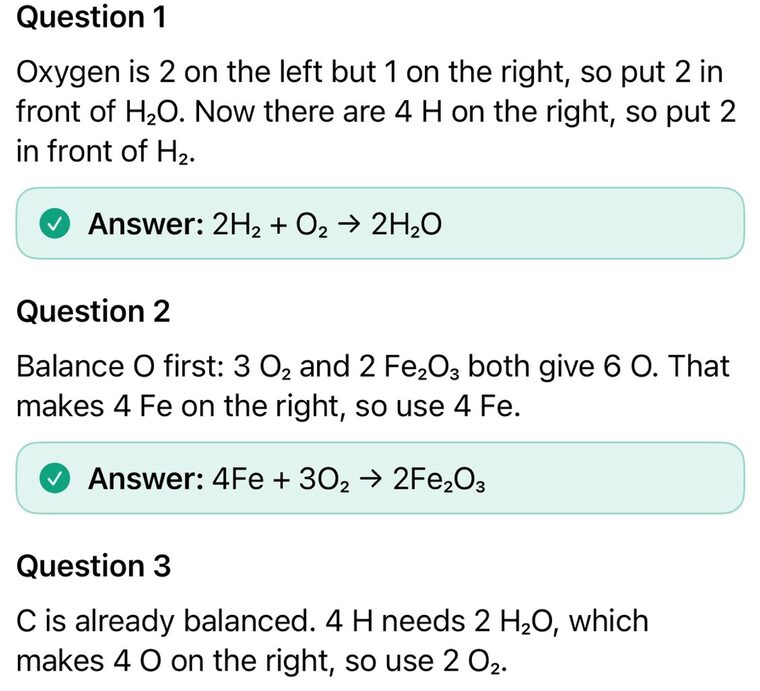
Short steps come first and the answer follows, so you learn the method and not just the result. Answers come in the language of your question.
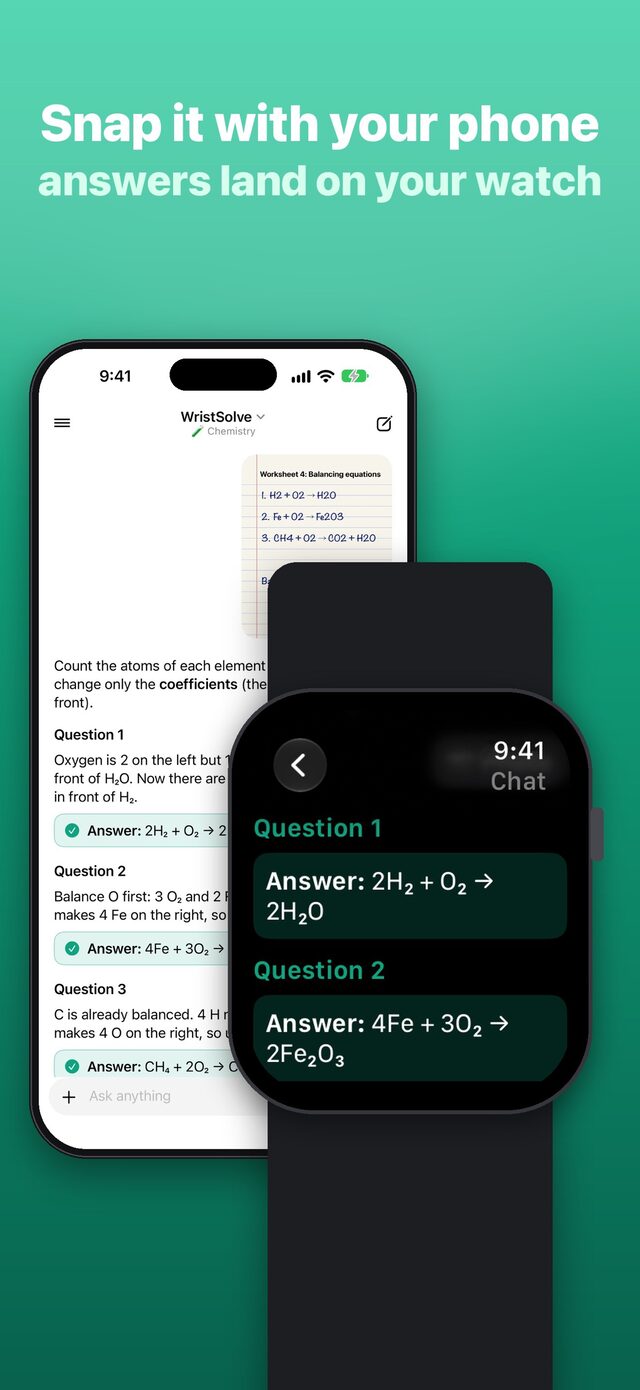
Tap Snap on your watch, point your iPhone at the page and read the answer on your wrist. Your Apple Watch also answers on its own, even when your iPhone is not nearby.
Features
You get short steps first and then the answer, so you learn the method and not just the result.
Ask follow-ups, regenerate, copy and share, in a chat that works the way you expect.
Each subject has your own instructions and your class notes (photos, PDFs and text), so answers follow what you are learning.
Explanations match your level once you set your grade.
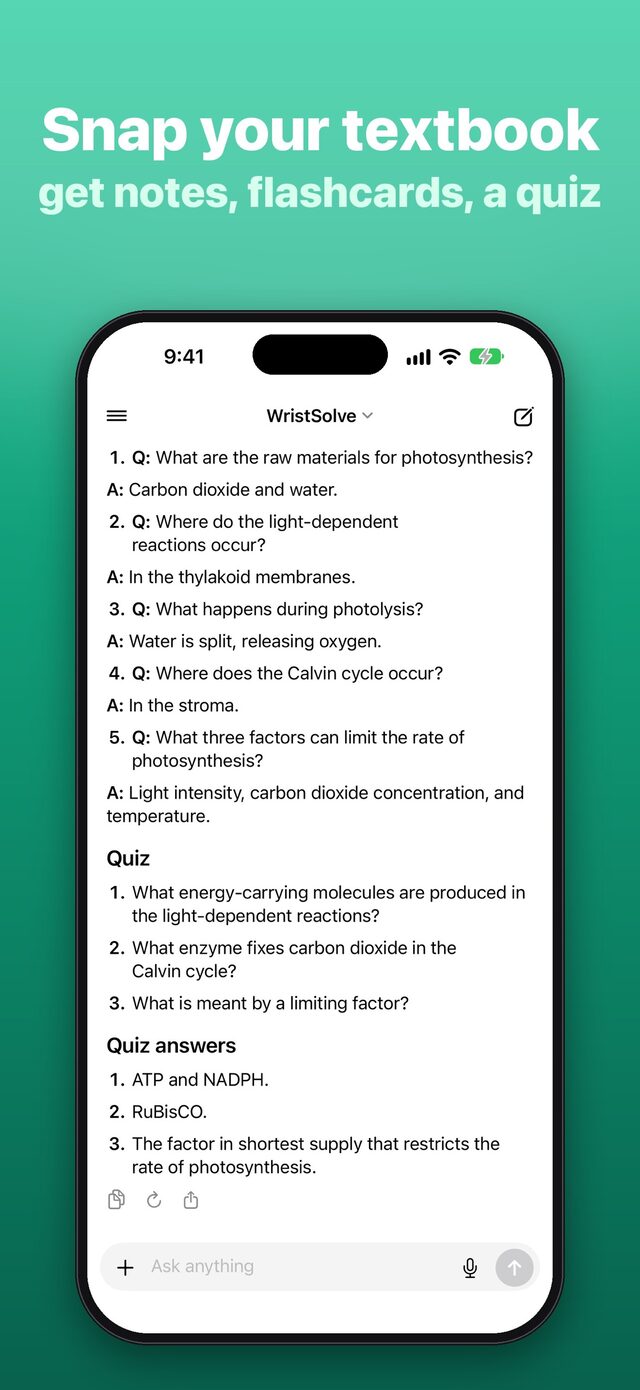
Practice with questions made from your own notes.
Every chat is saved, sorted by subject and searchable.
The app speaks 13 languages and answers come in the language of your question.
Tap Snap, ask by voice and read answers on your wrist, even when your iPhone is not nearby.
Open it and ask. There is nothing to configure and no API key is needed.
Apple Watch
Languages
Answers come in the language of your question.
Screenshots
Free and Pro
Start free, with nothing to set up.
3-day free trial for new subscribers.
Unlimited answers for studying.
Unlimited answers for studying.
WristSolve Pro gives unlimited answers for studying (fair use up to 300 a day). Your price is shown before you subscribe. The subscription renews automatically at the same price and period unless it is cancelled at least 24 hours before the end of the current period. You can manage and cancel it in your App Store account settings after purchase. Terms of Use
WristSolve is a study tutor. It explains the method step by step so you learn it. Please don't use it during tests or exams. Answers are written by AI (OpenAI) and can contain mistakes, so double-check anything important.
Questions
Straight answers about how the app works, what it costs and what it is for.
WristSolve is a homework solver for iPhone and Apple Watch. Take a photo of a worksheet or a textbook page, ask by voice or text, and read short steps and the answer on your iPhone or Apple Watch.
Yes. Since version 1.2 your Apple Watch answers on its own, even when your iPhone is not nearby.
Ask by photo, voice or text, whichever is fastest. On your watch, tap Snap, point your iPhone at the page and read the answer on your wrist.
No. It shows short steps first and then the answer, so you learn the method and not just the result. You can keep asking follow-up questions until it clicks.
The app speaks 13 languages: Dutch, English, French, German, Hungarian, Italian, Japanese, Korean, Polish, Portuguese, Chinese, Spanish, and Turkish. Answers come in the language of your question.
You can start free with 1 answer every day. WristSolve Pro gives unlimited answers for studying (fair use up to 300 a day), with weekly, monthly and yearly plans. The weekly plan has a 3-day free trial for new subscribers, and your price is shown before you subscribe.
Open Settings on your iPhone, tap your name, then tap Subscriptions, and manage or cancel WristSolve Pro there. Cancel at least 24 hours before the end of the current period to avoid the next renewal.
No. WristSolve is a study tutor that explains the method step by step so you learn it. Please do not use it during tests or exams.
No. Answers are written by AI (OpenAI) and can contain mistakes, so double-check anything important.
No. There is nothing to set up and no API key is needed.
Get WristSolve on your iPhone and Apple Watch. Free to start with 1 answer every day.